

MariaDB
Tables sync from a MariaDB database
ReadyDatabase
Overview
The MariaDB connector indexes schema metadata, table contents from a MariaDB database so your AI assistant can answer questions over structured data alongside your other knowledge sources.Looking for query execution from agents (run SQL on demand, no indexing)? Use the MariaDB Toolset instead. Connector = sync & search. Toolset = run actions.
What Gets Synced
Configuration Guide
Novaplan prepares your workspace. The optional local MariaDB steps below set up a database for testing, not Novaplan AI. A managed Novaplan connector can reach
localhost only on its own host, so use a database address reachable from your workspace and confirm network access with Novaplan Support.Step 1: Set up MariaDB
Step 1: Set up MariaDB
If you already have a MariaDB server, skip this step.Enter your password when prompted. If you reach the The connector also reads schema metadata from
Option A: Docker (local testing only)
If you need a disposable test database, follow the official MariaDB container instructions and set a unique test password. For a host-only test, bind the published port to127.0.0.1 as described in Docker’s port-publishing guide. A port published without a host address may be reachable on other network interfaces. This local test database is not automatically reachable from your Novaplan AI workspace.Option B: Install locally
Install MariaDB from the official MariaDB downloads page and follow the installer for your OS. After install, start the server and note yourhost, port, username, and password.Verify the connection
MariaDB [(none)]> prompt, the server is ready.Create a user for the connector
Create a dedicated read-only user for Novaplan AI. Run these asroot (or any user with CREATE USER and GRANT privileges) against the target database:information_schema, which is available to any authenticated user by default.Replace
novaplan_reader, a_strong_password, and test_db with your own values. Use 'novaplan_reader'@'localhost' instead of '%' if Novaplan AI connects from the same host as the database.Step 2: Configure the connector in Novaplan AI
Step 2: Configure the connector in Novaplan AI
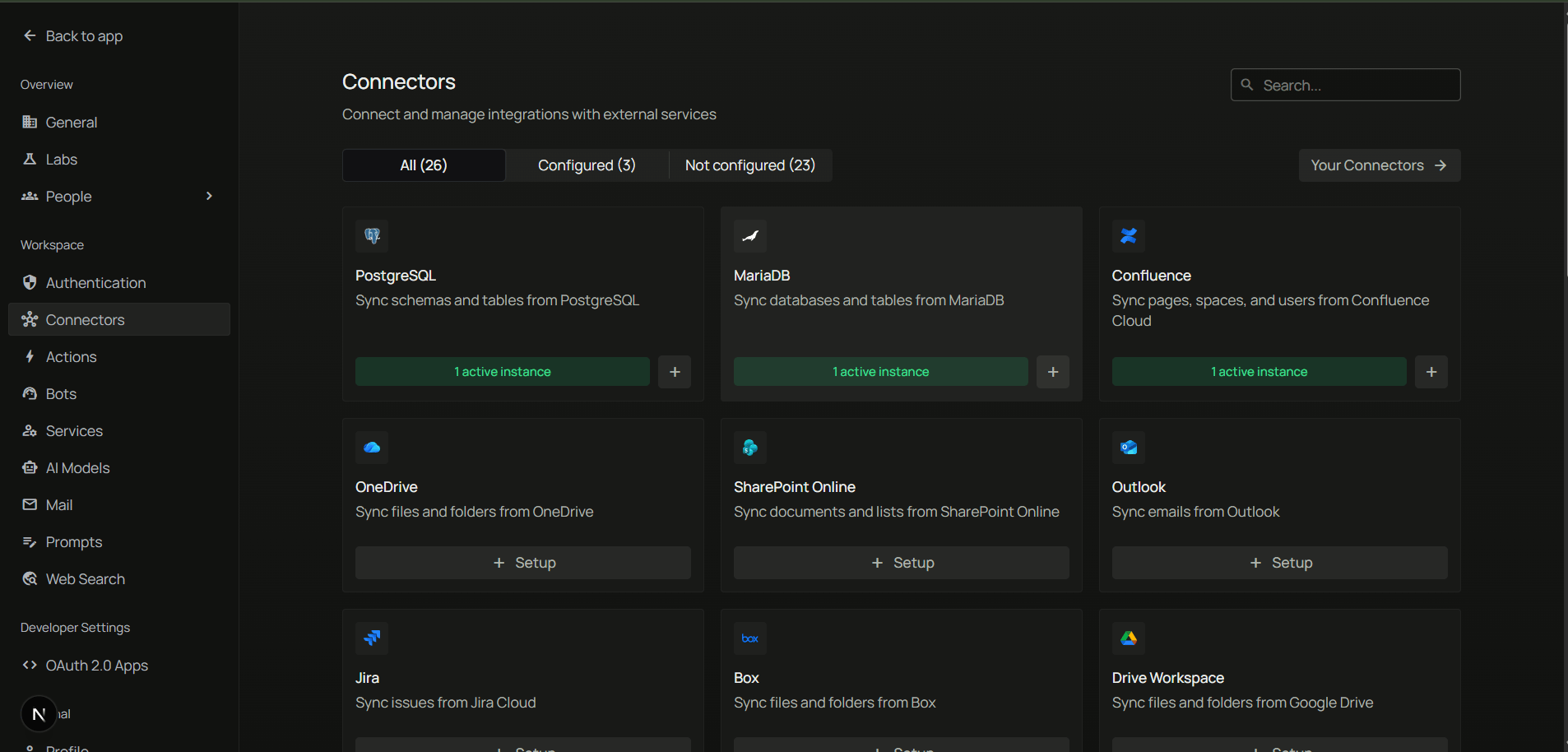
- In Novaplan AI, open Workspace Settings → Connectors.
- Find MariaDB and choose + Setup or Configure.
- Fill in the connection details:
The local
test_db and localhost in Step 1 are only for testing MariaDB on the same computer. For a managed Novaplan workspace, use the actual reachable database host and database name agreed with Novaplan and your database administrator.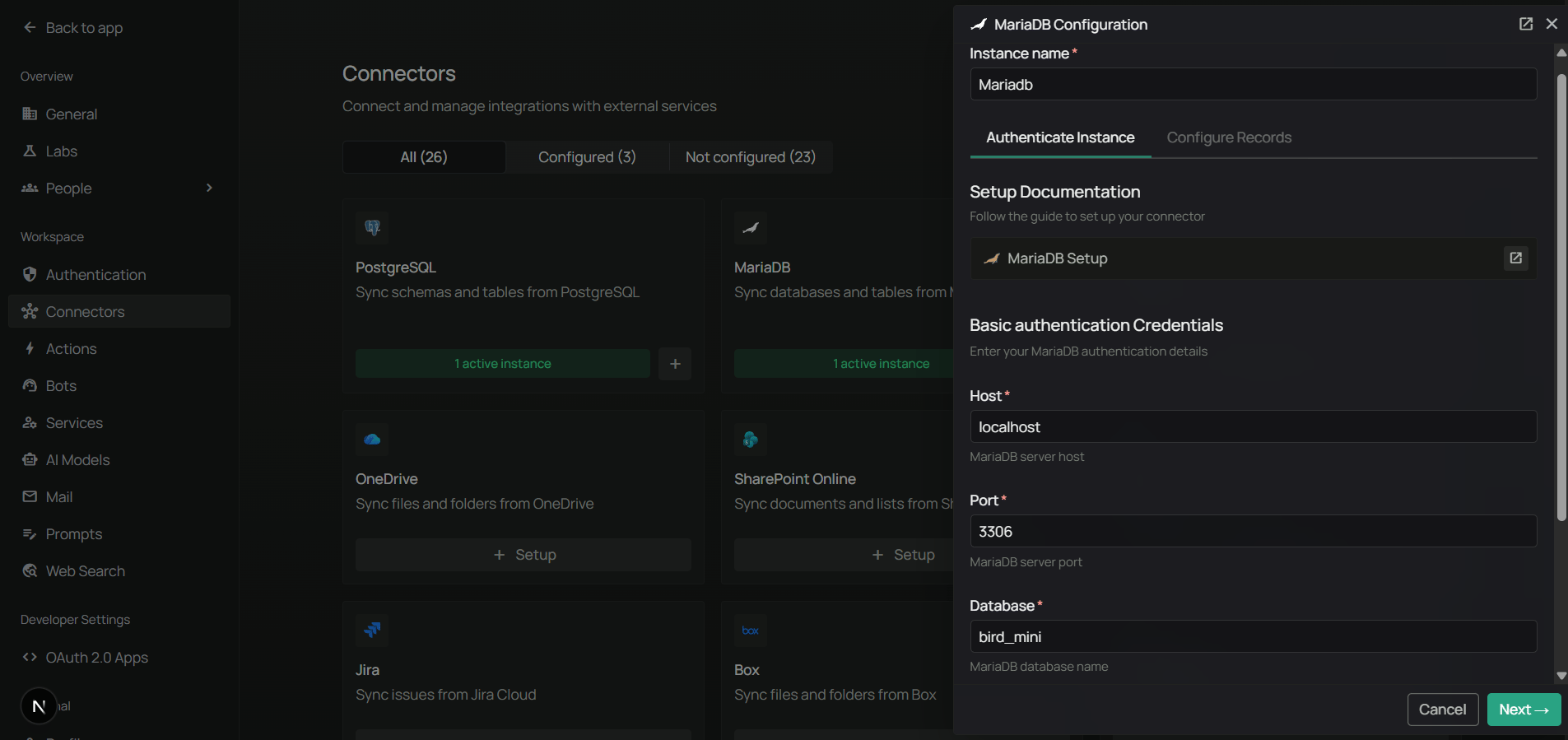
Step 3: Configure sync filters
Step 3: Configure sync filters
Sync filters select which tables are processed and limit the rows fetched from each selected table. The accessible connector still lists table names to populate the selector and run a sync. Excluding a table does not mean its name or other database metadata is never read. Use a database account with access only to the intended data when source-level isolation is required.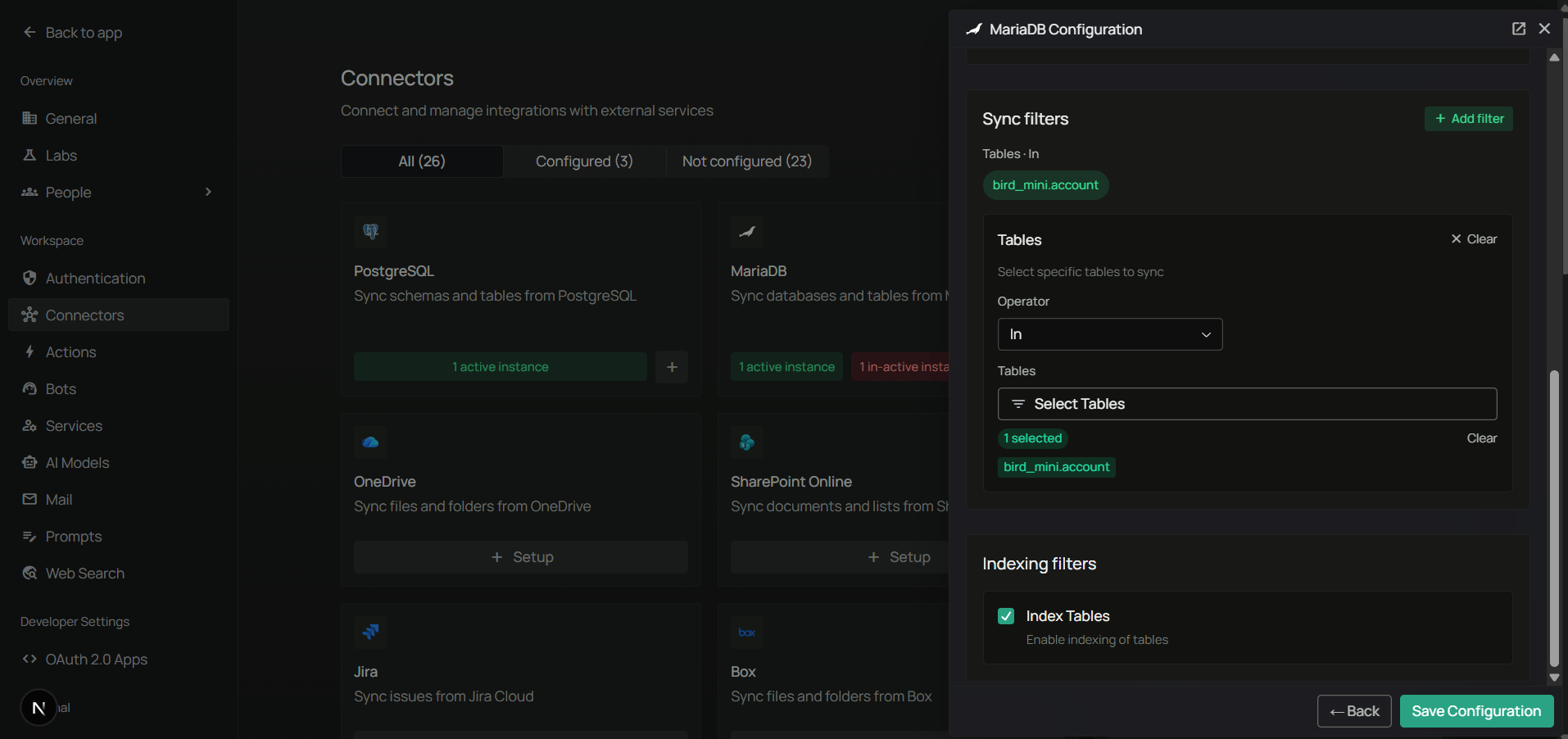
Use Max rows per table to keep initial syncs fast on large tables, or to cap the amount of data exposed to your assistant.
Step 4: Choose a sync strategy and save
Step 4: Choose a sync strategy and save
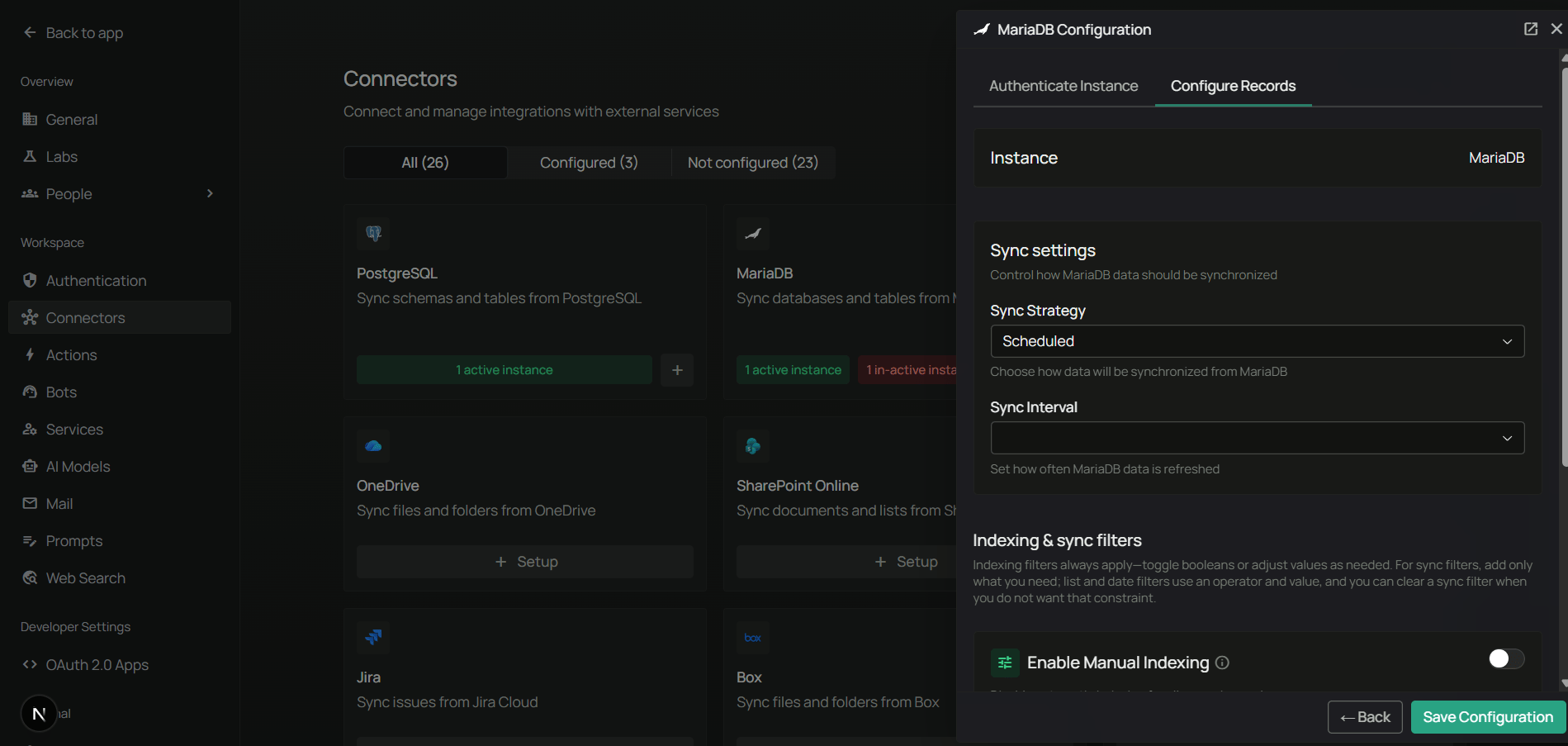
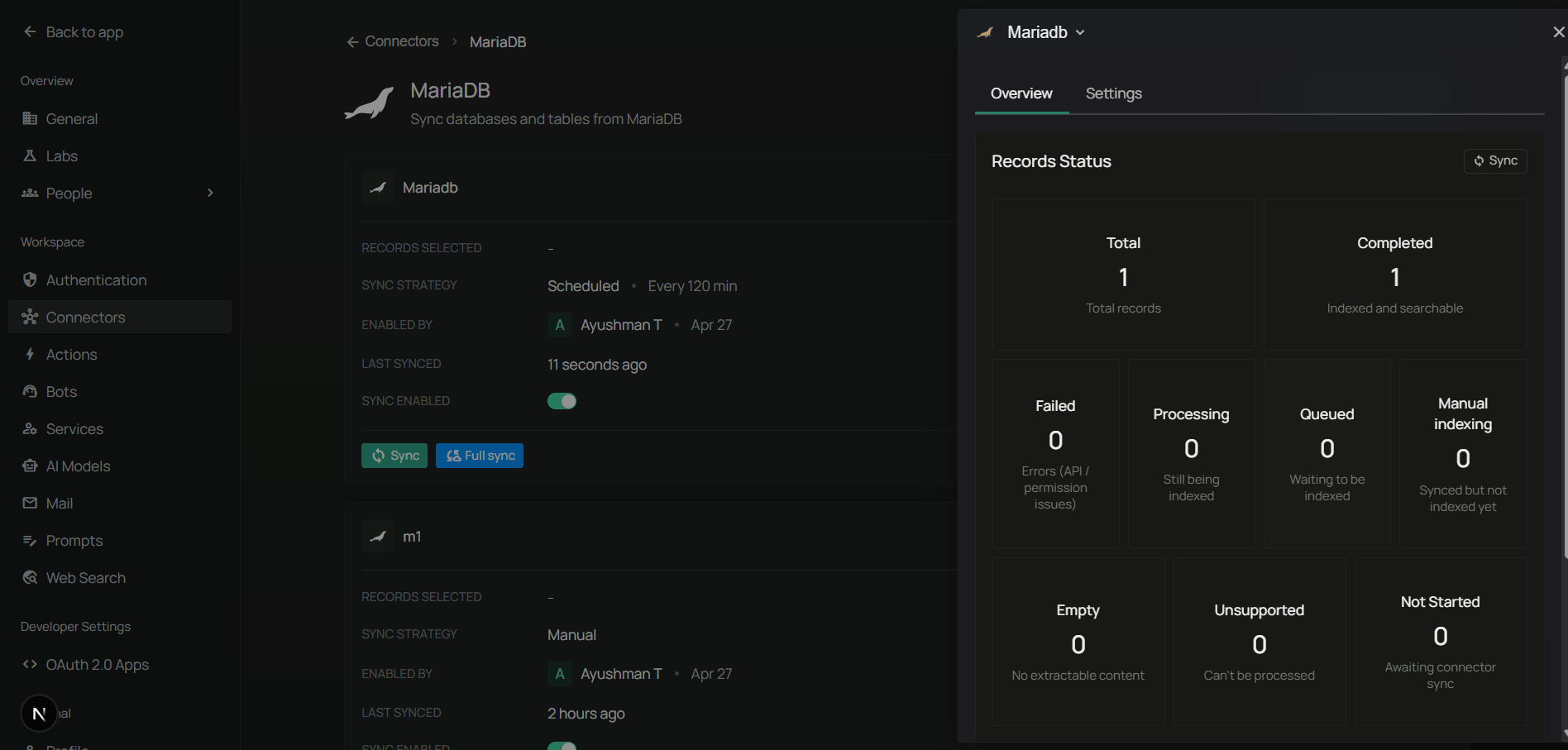
- Pick Scheduled or Manual sync.
- If scheduled, set the Sync interval (default: 60 minutes).
- Click Save to enable the connector.
FAQ
What privileges does the MariaDB user need?
What privileges does the MariaDB user need?
For read-only sync, The connector also reads schema metadata from
SELECT on the target database is enough:information_schema, which is available to any authenticated user by default.Can I connect to a remote MariaDB server?
Can I connect to a remote MariaDB server?
Yes. Use a host and port reachable from your Novaplan AI workspace through the network path approved by your database administrator and Novaplan. A public database endpoint is unnecessary when a private connection is available. Make sure the database accepts connections from that path and the user has the required privileges.
How do I keep large tables from blowing up the sync?
How do I keep large tables from blowing up the sync?
Use Max rows per table in sync filters to cap how many rows are fetched per table, and use the Tables filter to only sync the tables you actually need.
What's the difference between this connector and the MariaDB toolset?
What's the difference between this connector and the MariaDB toolset?
- Connector indexes your table and rows so they can be searched alongside your other knowledge.
- Toolset lets agents run live SQL against MariaDB at query time without indexing.